NGINX Configuration Page
The NGINX configuration page, available at the “local_enterobase/nginx_config” endpoint, is designed to enable the installer to obtain an “nginx.conf” file without having to write one from scratch. The user must simply input some basic details and the web-page returns the “nginx.conf” file. To read more about how the page looks from the point of view of the user, please take a look at the following page in the installation documentation: NGINX Prerequisites. All code relating to this page is available in the “entero/local_enterobase” directory of the Central EnteroBase repository.
There is more information regarding the contents of the “nginx.conf” file available at: http://nginx.org/en/docs/http/ngx_http_core_module.html.
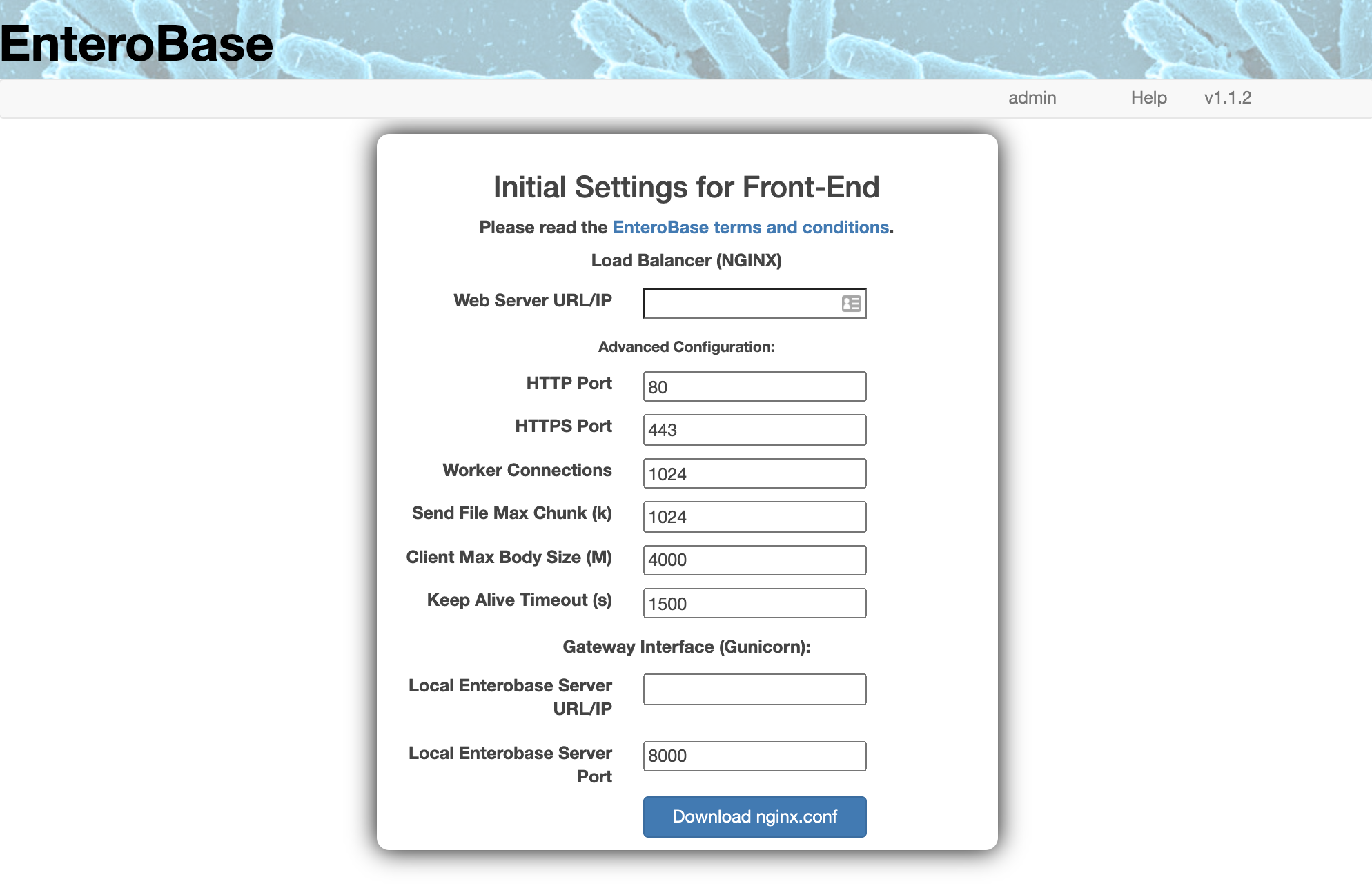
NGINX Configuration Form
The above figure shows a screenshot of what the user sees when they go to the page. Below is a list of the validations enforced by the FlaskForm used to handle the input:
Web Server URL/IP: check if a valid URL or IP.
HTTP Port: check if integer.
HTTPS Port: check if integer.
Worker Connections: check if integer.
Send File Max Chunk (k): check if float.
Client Max Body Size (M): check if float.
Keep Alive Timeout (s): check if float.
Local EnteroBase Server URL/IP: check if a valid URL or IP.
Local EnteroBase Server Port: check if integer.
By clicking the “Download nginx.conf”, the relevant “nginx.conf” is sent to the user. From the user’s perspecting, this file is downloaded to their default download folder.
The custom “nginx.conf” file is created through the use of a template (found at “entero/local_enterobase/nginx.conf” within the Central EnteroBase repository) with some default values (as seen in Fig. 1). The default values are denoted using the following template: “{{<name of variable>:<default value>}}”. Here is an example of this:
events {
   worker_connections  {{worker_connections:1024}};
}
In this example, once the form is submitted, the “{{worker_connections:1024}}” part is replaced by the worker_connections value in the form (as shown in Fig. 1). If the user opts to keep the default value, the resulting file will contain the following:
events {
   worker_connections  1024;
}